
Time to log a call into the CRM
Case study · Bitrix24 CoPilot + RoboREST
How to add AI agents to Bitrix24 CRM without disrupting sales
In 4 weeks we ran a controlled AI pilot for a 30-person EU sales team: Bitrix24 CoPilot turned calls into CRM fields and summaries, then RoboREST robots created follow-up tasks only after a human check — so the pipeline stayed the system of record, not a free-floating chatbot.
Results
Measured over 60 days after go-live vs the previous 60 days for the same 8-rep pilot group
Deal cards with complete required fields
Pilot: enable → train → measure → expand
The challenge
The team already had Bitrix24 — AI lived in ChatGPT tabs beside it
Reps pasted call notes into ChatGPT, then re-typed outcomes into deals. Managers could not see which AI drafts were used. Shadow AI created GDPR anxiety and inconsistent CRM data. They wanted AI that writes into Bitrix24 — with guardrails — not another disconnected assistant.
- Call notes typed late or never; fields left empty after demos
- ChatGPT / Claude used outside the CRM with customer snippets
- No standard “next step” after a call — each rep improvised
- Managers reviewed calls manually; no AI-assisted script check
- Fear that full auto-send would invent promises to customers

What we did
One workflow first — call → CRM — then agents that respect human approval
1
Baseline & scope
Picked one team, measured time-to-log-call and field completeness, banned customer PII in public AI tools.
2
CoPilot in CRM
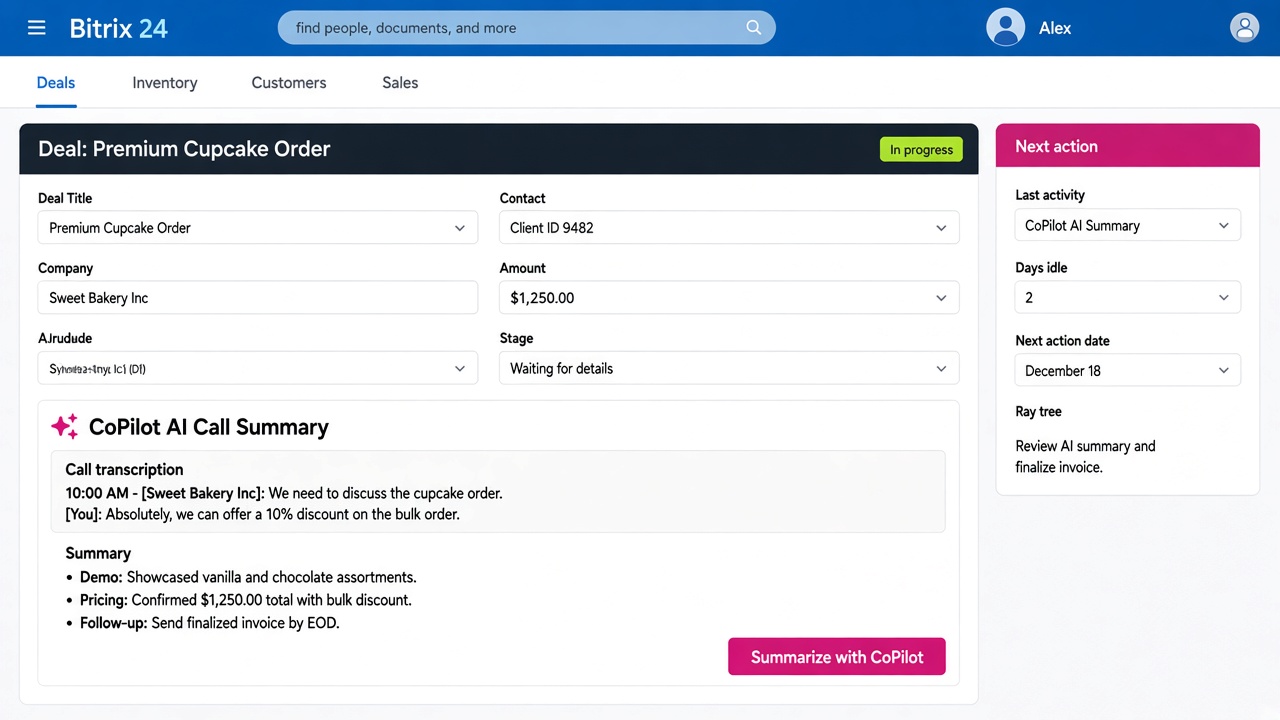
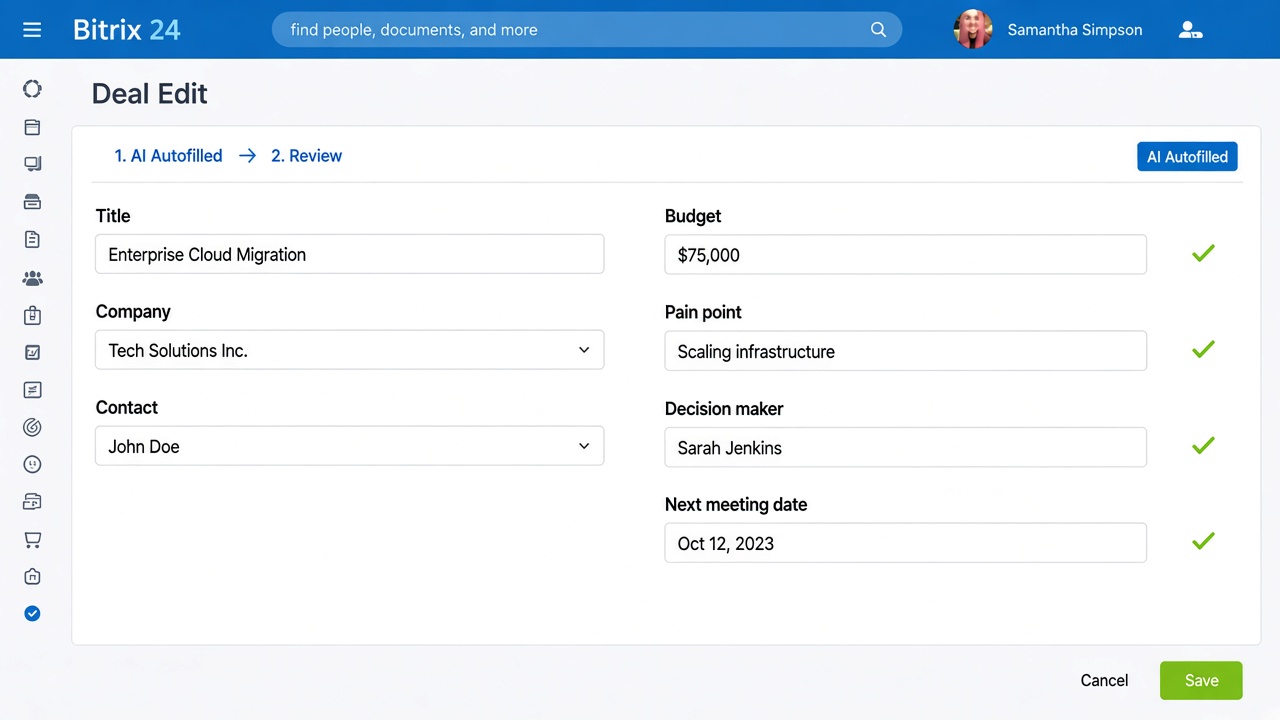
Enabled Bitrix24 CoPilot for call transcription, summaries, and field autofill on the pilot pipeline only.
3
RoboREST agents
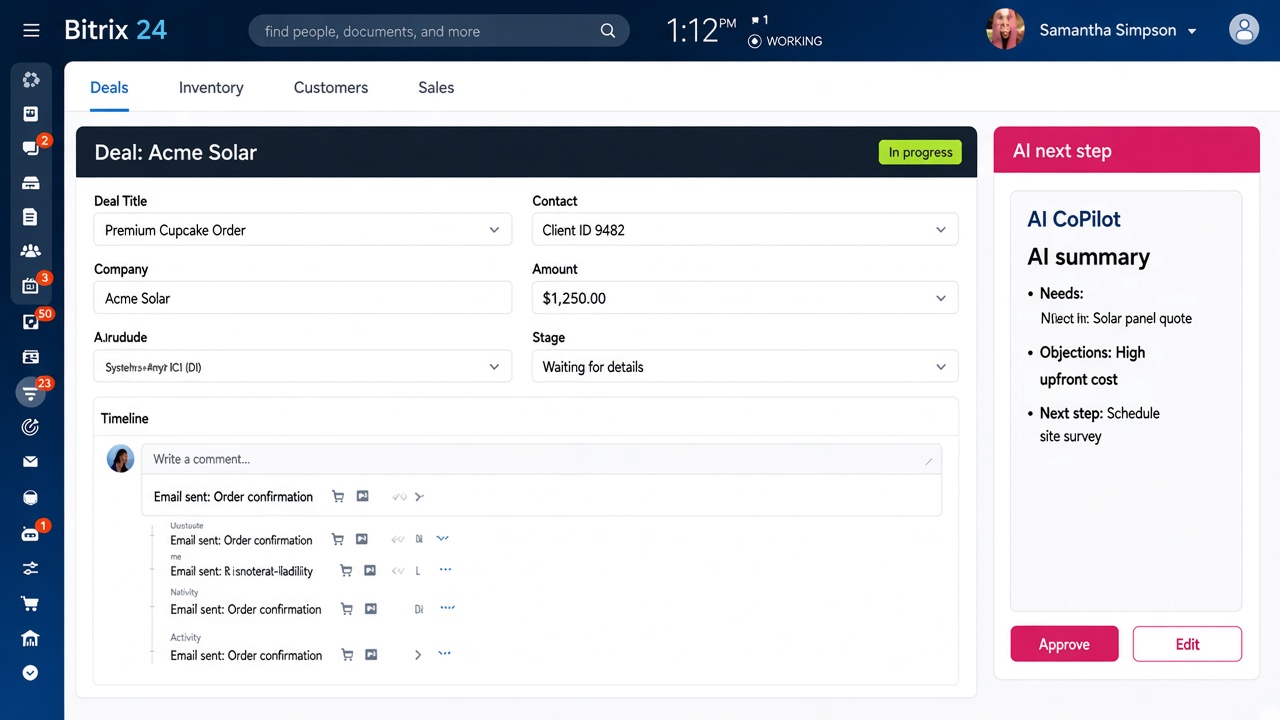
Robots turn approved summaries into tasks; widget shows AI next step; cron flags thin cards for managers.
4
Train & expand
Show-don’t-tell sessions; human-in-the-loop checklist; then roll to the second sales pod with the same rules.
Built with CoPilot + RoboREST
Native Bitrix24 AI for capture; RoboREST for agent actions that write back to the CRM with guardrails
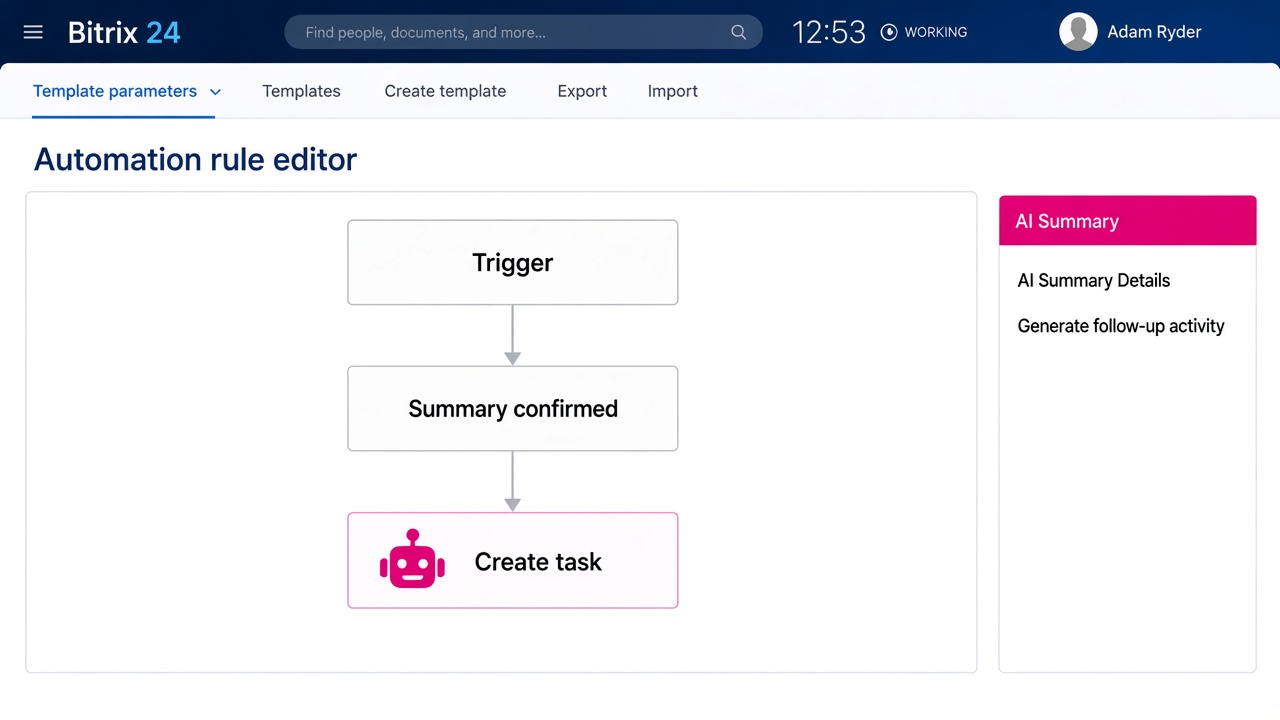
Follow-up task from summary
Robot · activity. After the rep confirms the CoPilot summary, a robot creates a Bitrix24 activity with due date, owner, and the agreed next step — no silent auto-emails to the customer.
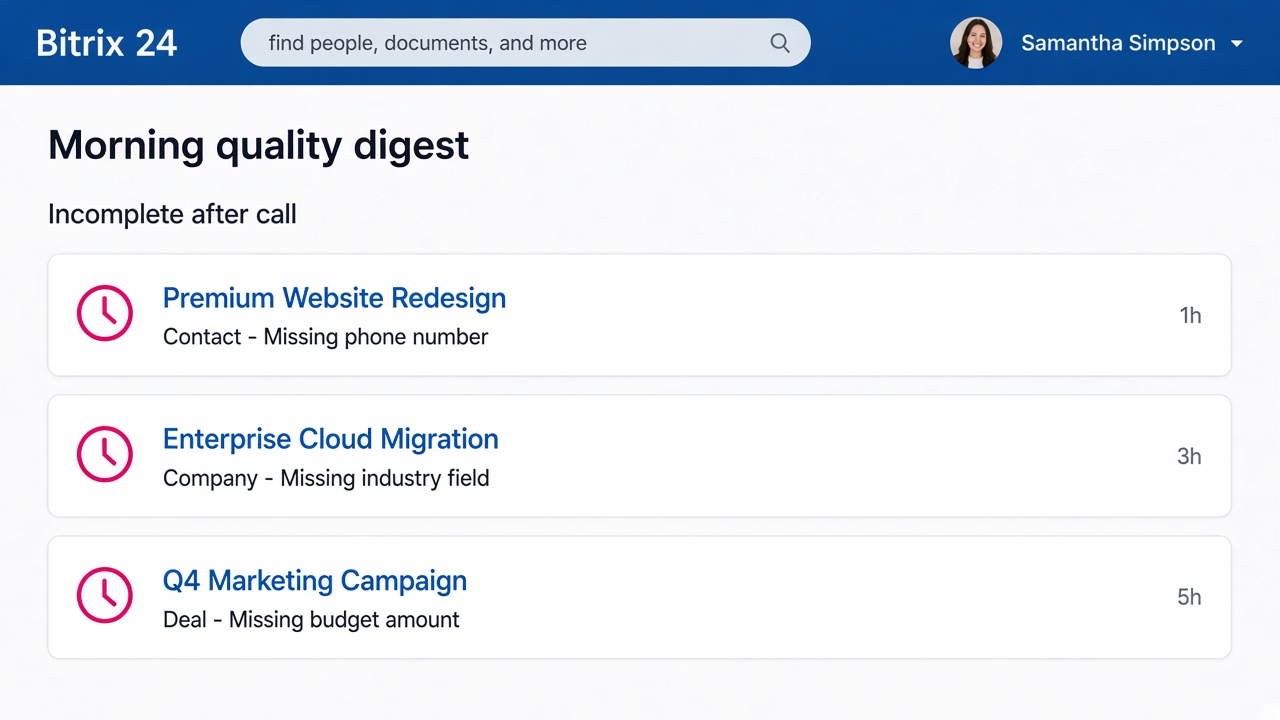
Thin-card quality digest
Cron · daily 08:30. Finds open deals with a call in the last 24h but missing required fields or next-action date, and notifies the owner and sales lead.
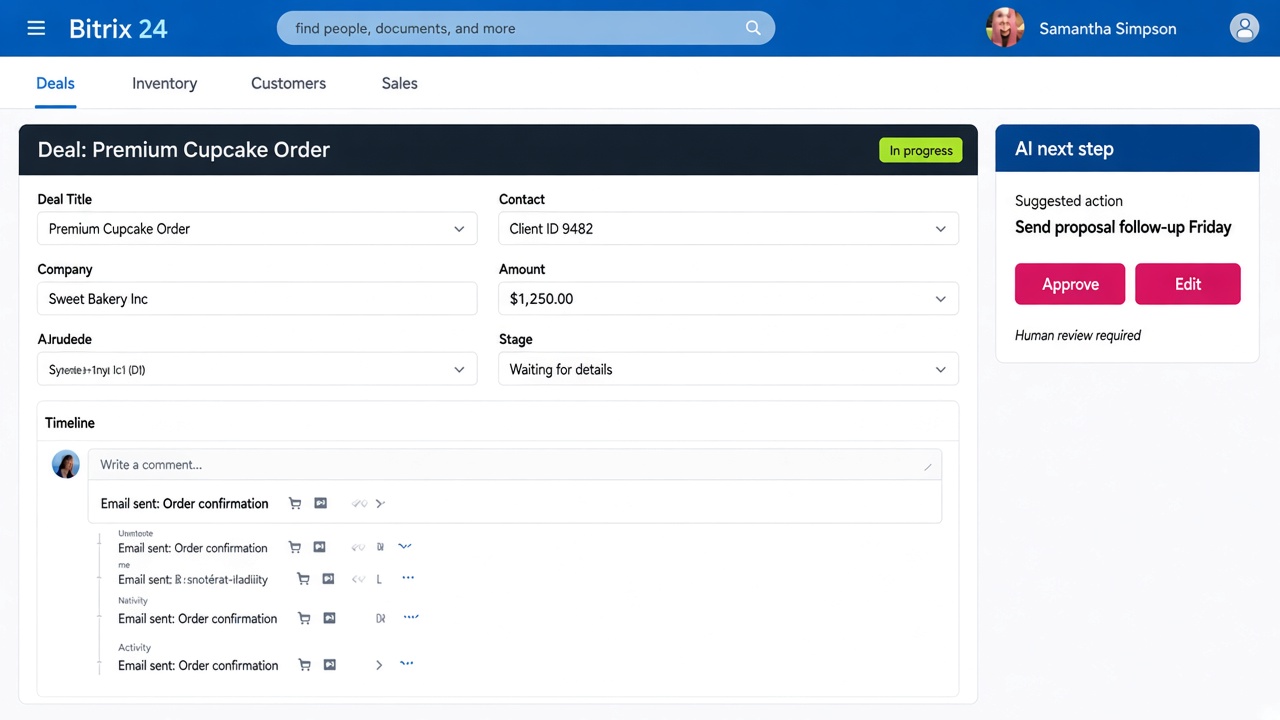
AI next-step panel
Widget · deal card. Shows suggested next action, confidence note, and Approve / Edit — so the agent proposes, the human decides.
Before & after
Same CRM — AI moved inside the workflow
Before
- AI in separate browser tabs
- Call notes delayed or missing
- Inconsistent next steps per rep
- No audit of what AI produced
- Managers re-listened to calls
After
- CoPilot summaries on the deal timeline
- Fields filled from calls with review
- RoboREST tasks from approved next steps
- Human-in-the-loop before customer-facing actions
- Daily digest for incomplete post-call cards
How we measured
Pilot group of 8 sales reps on Bitrix24 Cloud (EU). Compared 60 days before enablement with 60 days after week 2 of training.
- Time to log a call: stopwatch sample (n=40 calls before / after) from call end to deal saved with notes + required fields.
- Field completeness: % of deals with stage ≥ Qualified that had all required custom fields filled within 24h of last call.
- Adoption: weeks until ≥70% of pilot calls had a CoPilot summary attached and an approved next-step task.
FAQ
Questions buyers ask about AI agents and CRM
How do I add AI to an existing CRM without disrupting sales?
Start with one high-frequency workflow that already has a signal — usually post-call notes. Enable capture inside Bitrix24 (CoPilot), keep the CRM as system of record, and only automate actions that a human can approve. Expand after you have a baseline on time saved and data quality.
What is the best first AI use case for a sales team on Bitrix24?
Call transcription → summary → CRM field autofill. It removes admin without changing how reps sell. Outreach auto-send is a later step and needs stricter guardrails.
Bitrix24 CoPilot vs ChatGPT for CRM — which should we use?
Use CoPilot (or any CRM-native AI) when the output must land on the deal, stay in the company workspace, and follow portal permissions. Use external chat tools for internal drafting that never includes customer personal data — and write the result back into Bitrix24 deliberately.
What are AI agents for CRM sales automation in practice?
In this case an “agent” is not a free chatbot: it is CoPilot capturing the call plus RoboREST robots/cron/widgets that create tasks, digests and next-step panels inside Bitrix24 — with human approval before customer-facing steps.
How much does an AI CRM pilot cost / how long does it take?
For a mid-size Bitrix24 Cloud team, a scoped 4-week pilot (CoPilot enablement + 2–3 RoboREST automations + training) is typical. Licence for Bitrix24 AI features is separate from partner implementation. Broader multi-department agents take longer.
Is this GDPR-aware for EU companies?
We keep processing inside the Bitrix24 portal policies you already use, limit what leaves the CRM, document the pilot scope, and avoid pasting customer data into consumer AI tools. Legal review of your DPA and CoPilot settings remains on the customer side.
Ready for an AI pilot on Bitrix24?
We help European teams enable CoPilot and wire safe CRM agents with RoboREST — from one workflow to go-live.
Why contact us?
- Free consultation and pilot scoping
- Response within 24 hours
- 8+ years of Bitrix24 expertise
- Support in English, Spanish, and Russian
- GDPR-aware setups for EU businesses
Email
b24@msite.top
Phone
+34 614 33 27 85
CRM form will load here
 — Бесплатные Сайты и CRM.