
Typical ERP to CRM status lag (cron every 15 min)
Case study · Bitrix24 + RoboREST
Do you need ERP or custom integrations with Bitrix24?
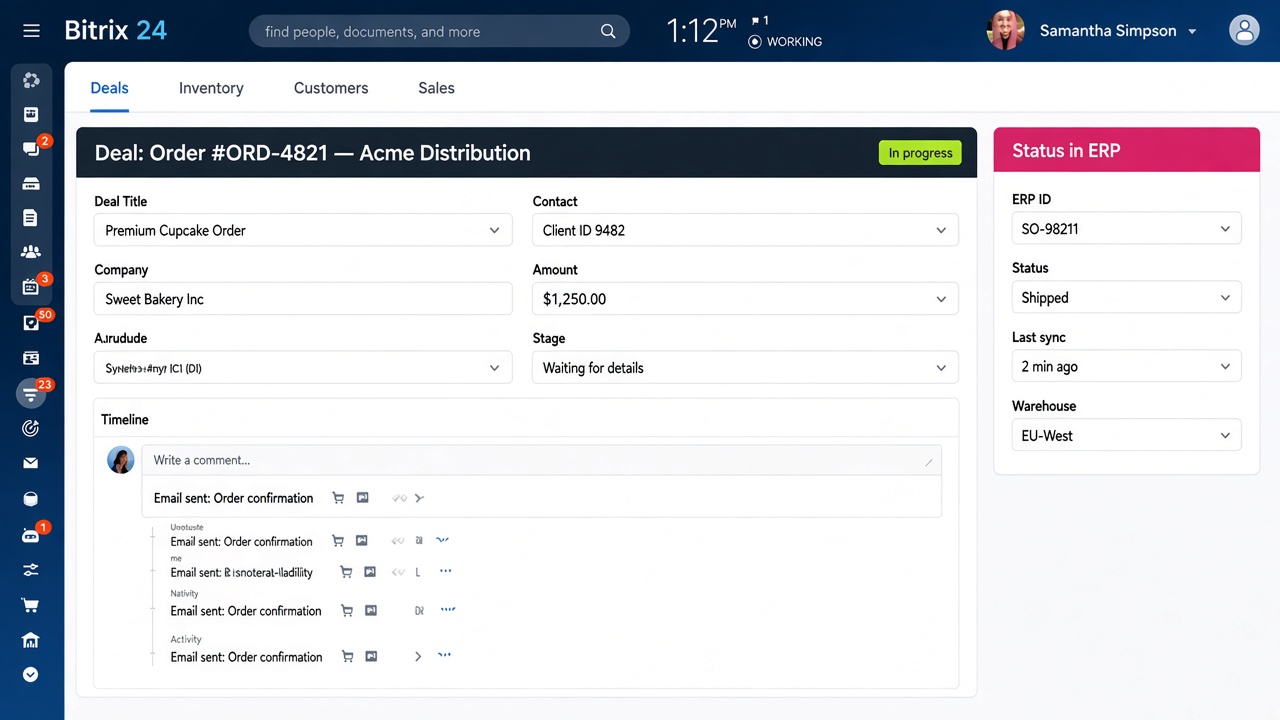
Order status from the ERP updates in the Bitrix24 deal card on a schedule; managers stop copying IDs and statuses by hand. We wired a mid-scope sync with RoboREST - outbound activity on stage change, inbound cron, and a deal-card widget - without a separate custom module.
Results
Measured over 60 days after go-live vs the previous 60 days of manual copy between ERP and CRM
Fewer manual status / ID edits on deals
Mid-scope delivery: map to robot to cron to widget
The challenge
Sales lived in Bitrix24; fulfilment lived in the ERP - and the bridge was people
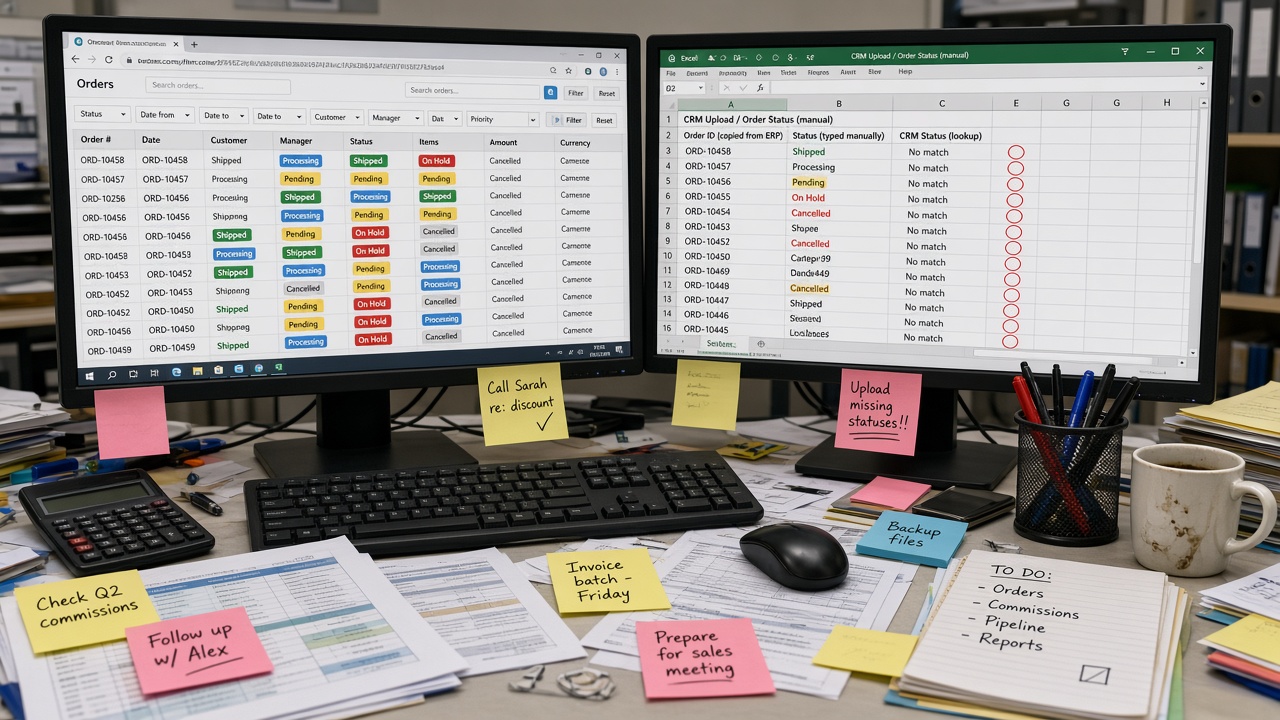
A 40-person wholesale team confirmed orders in CRM, then ops re-keyed them into the ERP. Statuses (packed, shipped, delayed) came back in chat or spreadsheets. Reps answered "where is my order?" from stale data. They needed a scoped sync - not a full master-data project and not a months-long custom module.
- Deal won in CRM → order created manually in ERP
- ERP order ID pasted into a CRM comment or custom field by hand
- Shipment / delay status updated hours or days late
- No single place in the deal card to see external status
- Fear that "full ERP integration" meant a large custom build
What we did
Scoped CRM <-> ERP flow first - then RoboREST for push, pull and visibility
1
Scope the sync
Agreed which fields matter: external order ID, status code, last sync time - not full product/warehouse master sync in v1.
2
Map & secure
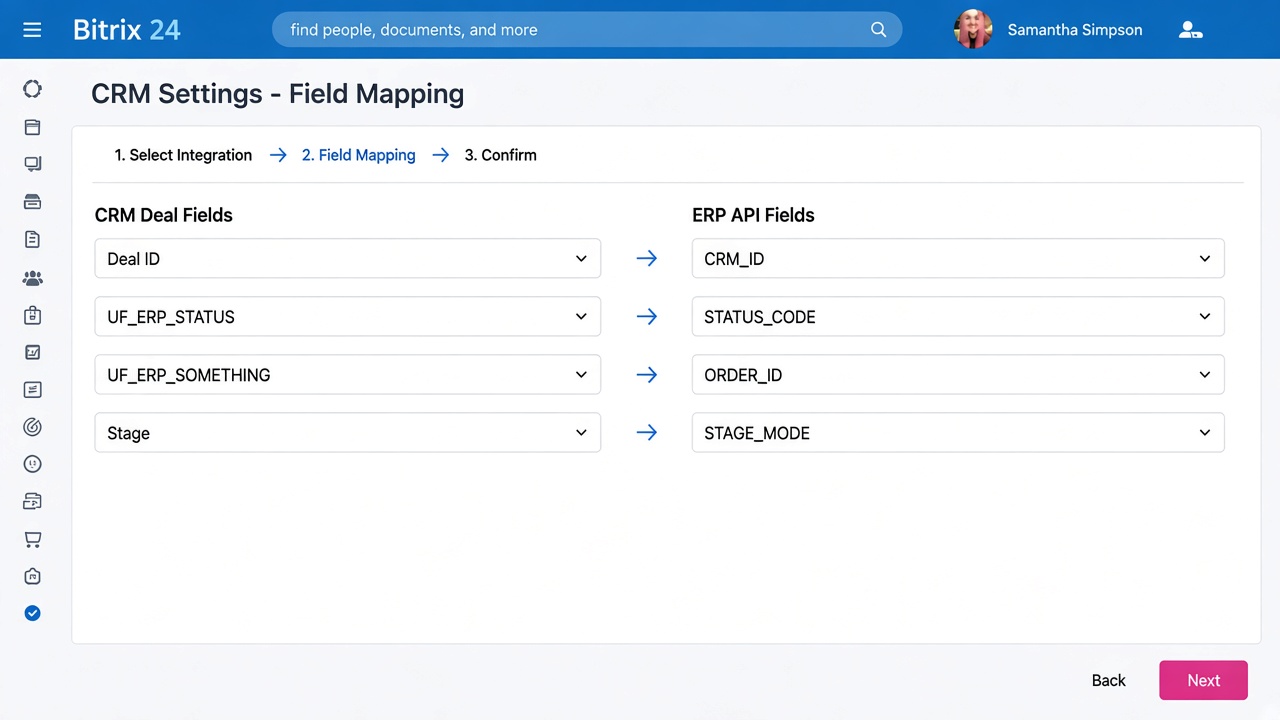
Mapped CRM fields to ERP API payloads; stored API credentials in RoboREST, not in deal fields.
3
RoboREST wiring
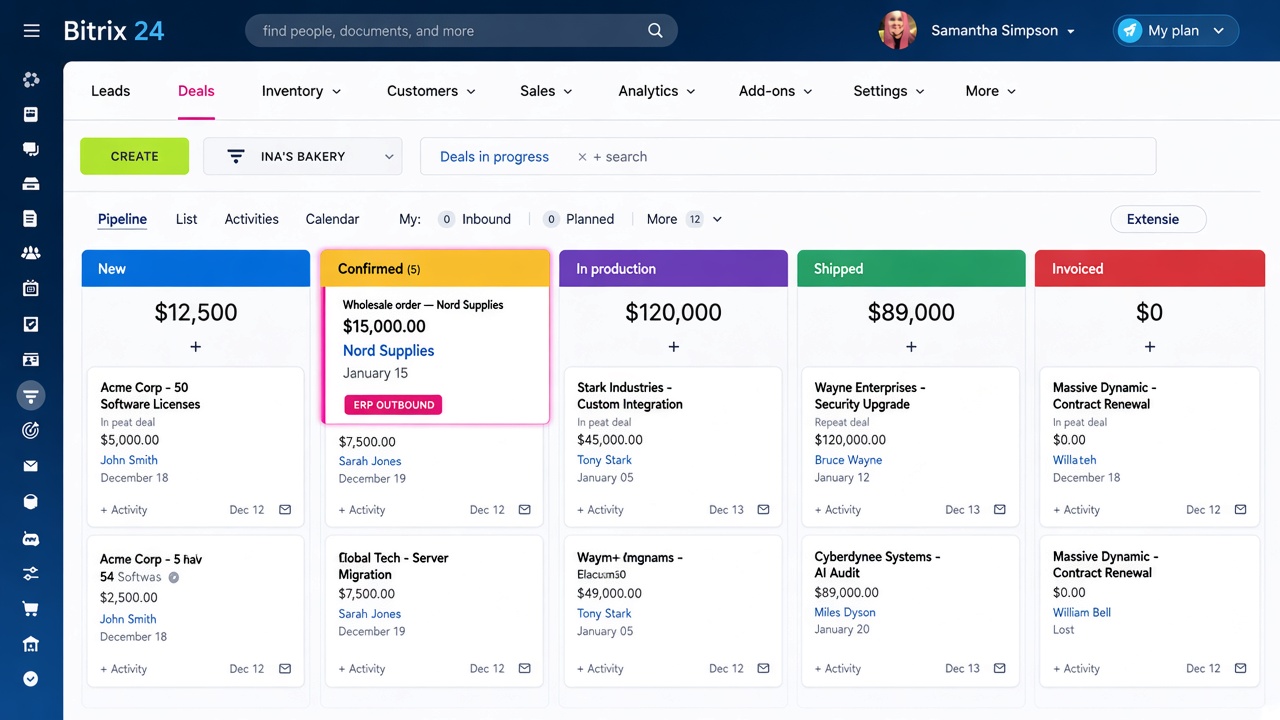
Activity on stage change for outbound create/update; cron for inbound status pull; widget on the deal card.
4
Test & go-live
Sandbox API runs, failure cases (timeouts, 4xx/5xx), then pilot pipeline and team walkthrough.
Built with RoboREST
Outbound activity, inbound cron and a deal-card widget via the RoboREST App builder - custom logic inside Bitrix24
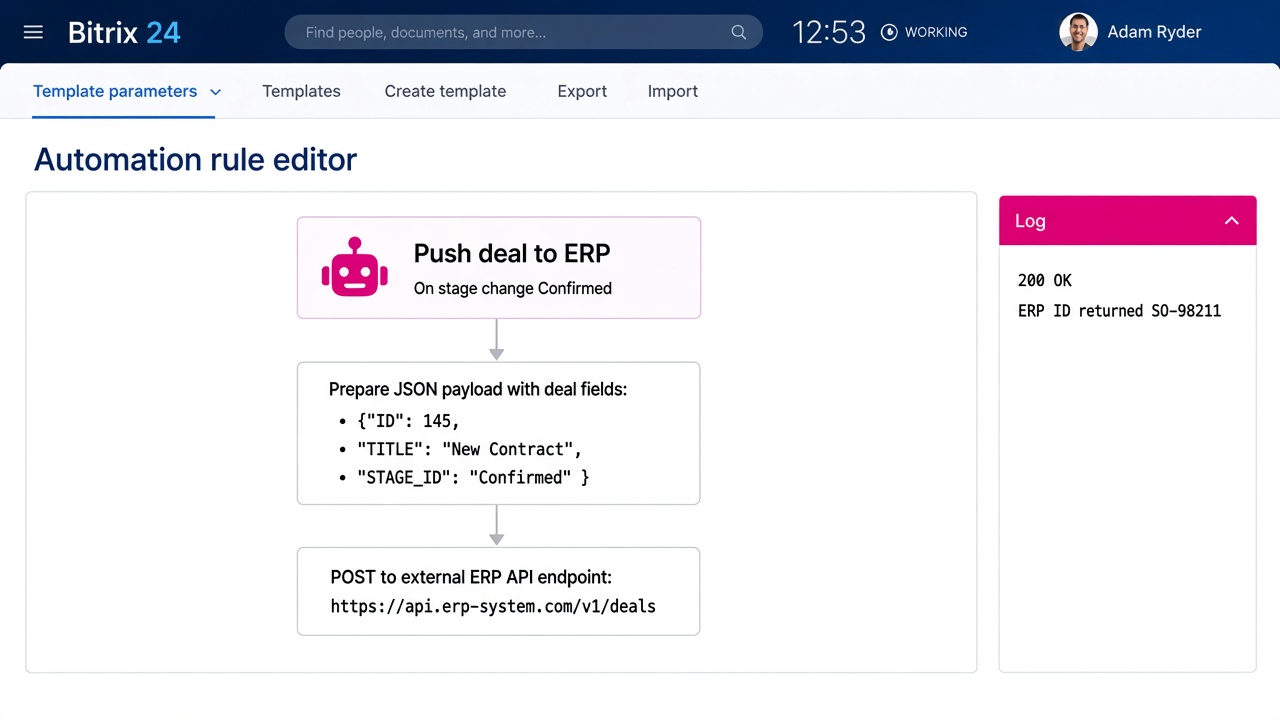
Push deal to ERP
Robot · activity. On stage change (e.g. Confirmed), builds a JSON payload from deal fields and POSTs to the ERP API. Writes returned ERP order ID back to the deal. Failures stay visible in the automation log.
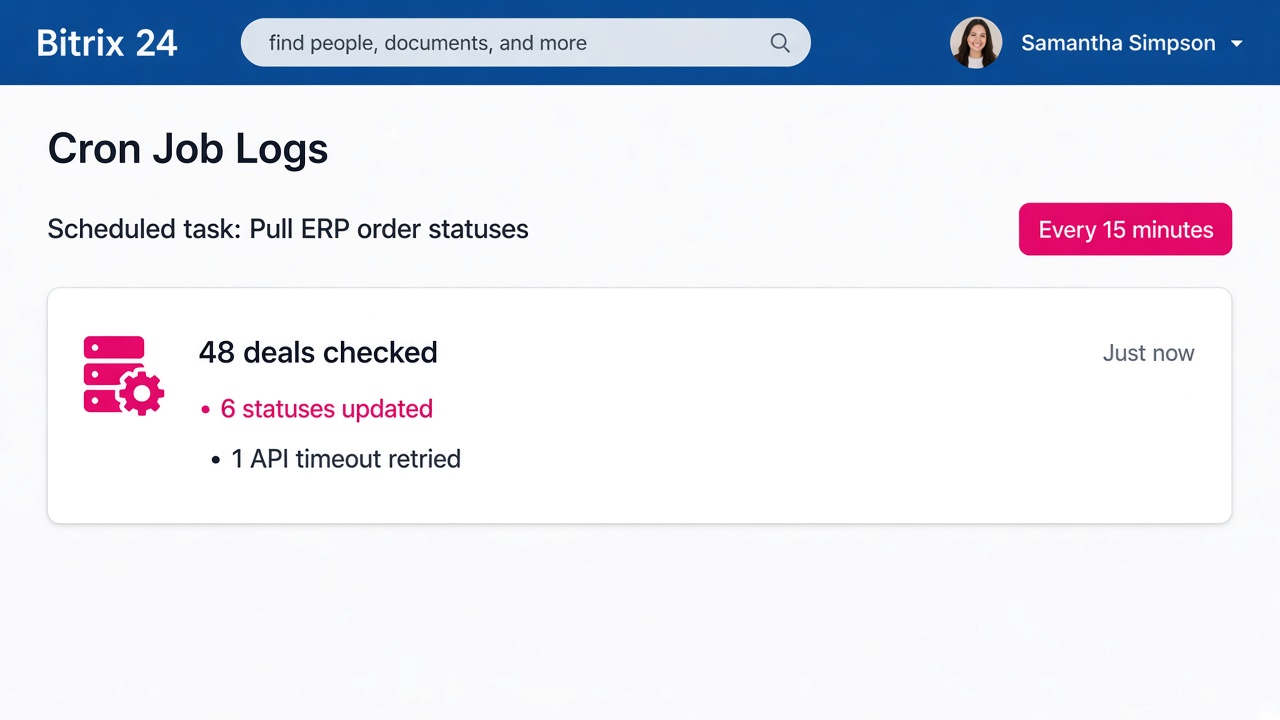
Pull ERP statuses
Cron · every 15 min. Reads open deals with an ERP ID, calls the ERP status endpoint, updates CRM fields when the code changed. Retries transient timeouts; logs hard failures for review.
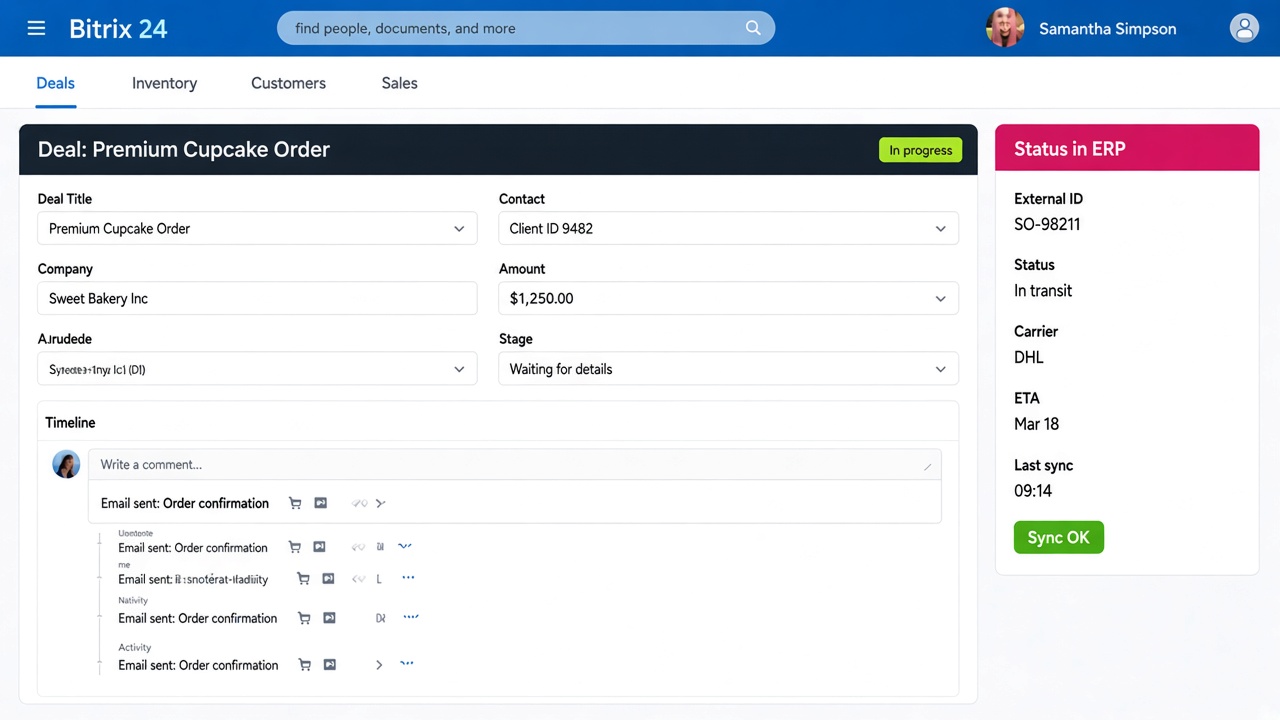
Status in ERP
Widget · deal card. Shows external ID, current ERP status, and last successful sync time - so sales answers customer questions from the card, not from another login.
Honest boundaries
What belongs in a robot vs cron - and what this mid-scope sync does not claim
Robot / activity
- Event-driven: stage change, button, or automation step
- Best for outbound create/update with an immediate result
- Failure is visible on that deal's automation run
- Not ideal for scanning hundreds of deals every few minutes
Cron
- Schedule-driven: pull statuses, reconcile drift
- Central place for retries and batch logging
- Lag equals schedule (here: 15 minutes)
- Does not replace a real-time webhook if the ERP offers one later
API errors & retries
Transient timeouts and 5xx: cron retries with backoff and keeps the last known good status on the deal. Hard 4xx (bad payload, auth): logged, no silent overwrite - ops fixes mapping or credentials. We do not invent status codes when the ERP is unreachable.
- In scope (v1): order ID + status (+ last sync) on deals linked to ERP orders.
- Out of scope (v1): full product catalogue sync, stock levels, multi-warehouse transfers, bi-directional contact master.
- Telephony: separate connector; not part of this ERP case.
Before & after
Same ERP, same CRM - different daily operating model
Before
- Orders re-keyed from CRM into ERP
- ERP IDs pasted into comments
- Status updates via chat / spreadsheet
- Reps chase ops for "where is the order?"
- "Integration" meant a large custom quote
After
- Confirmed deals push to ERP via activity
- ERP ID stored on the deal automatically
- Status refreshed by cron every 15 min
- Widget shows status in the deal card
- Mid-scope sync in ~10 working days on RoboREST
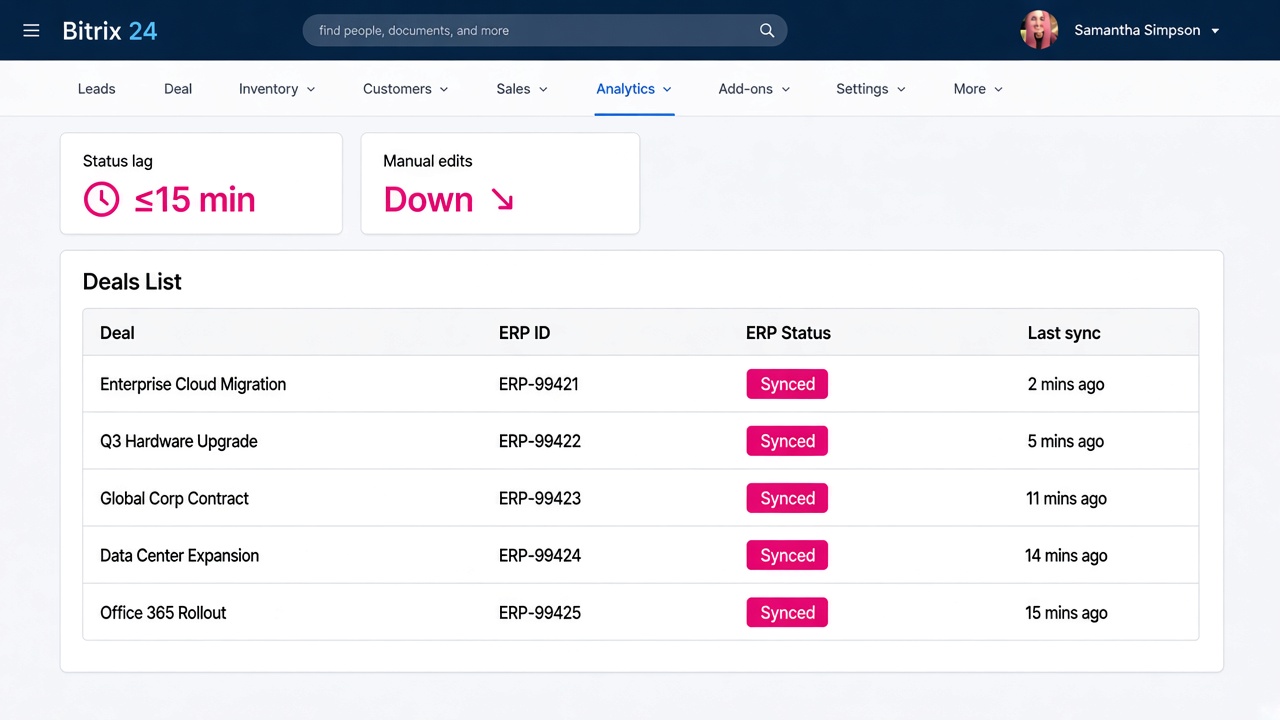
How we measured
Figures compare 60 days after go-live with the previous 60 days for the same sales + ops team.
- Status lag: median time from ERP status change (ERP audit / timestamp) to CRM field update (last-sync field).
- Manual edits: count of human changes to ERP ID / status custom fields in CRM (activity log), before vs after week 3.
- Delivery: calendar working days from kickoff workshop to production cron + widget on the pilot pipeline.
FAQ
Questions buyers ask about ERP and custom integrations with Bitrix24
Do you need a custom module to connect Bitrix24 to an ERP?
Not for a mid-scope status sync. With RoboREST you can run Python robots/activities, scheduled cron jobs and deal-card widgets that call the ERP HTTP API - without shipping a separate custom PHP application on the portal. Very large bi-directional master-data projects may still need a dedicated integration layer.
Should status sync be a robot or a cron job?
Use a robot/activity when CRM is the trigger (stage change → create/update order in ERP). Use cron when you need periodic inbound reconciliation (pull statuses for many open orders). Mixing both is normal: outbound on events, inbound on a schedule.
What happens when the ERP API fails?
Transient errors are retried on the next cron run; the deal keeps the last known good status and last-sync time. Hard client errors are logged and do not silently invent a new status. Ops can see failed runs in RoboREST logs and fix mapping or credentials.
Can this cover telephony or e-commerce order status too?
Telephony uses Bitrix24 telephony / SIP connectors - a different workstream. E-commerce order status is the same pattern as ERP: cron + widget (+ optional robot notifications). We keep scopes separate so delivery stays predictable.
How long does a mid-scope ERP sync take?
For a documented ERP API, clear field map, and one pilot pipeline, about 8-12 working days is typical: mapping and credentials, outbound activity, inbound cron, widget, and pilot hardening. Unstable APIs or unclear ownership of order IDs extend the timeline.
Need Bitrix24 talking to your ERP?
We help European teams scope CRM <-> ERP sync and ship it with RoboREST - robots, cron and widgets inside Bitrix24.
Why contact us?
- Free consultation and project assessment
- Response within 24 hours
- 8+ years of Bitrix24 expertise
- Support in English, Spanish, and Russian
- GDPR-aware solutions for EU businesses
Email
b24@msite.top
Phone
+34 614 33 27 85
CRM form will load here
 — Бесплатные Сайты и CRM.