
Increase in closed deals
Case study · Bitrix24 + RoboREST
How to migrate from Excel to Bitrix24 without losing follow-ups
In 3 weeks we moved a 25-person B2B services team from spreadsheets into Bitrix24 Cloud, then wired RoboREST robots and a daily cron so every open deal gets a follow-up reminder before it goes cold — without a custom PHP module.
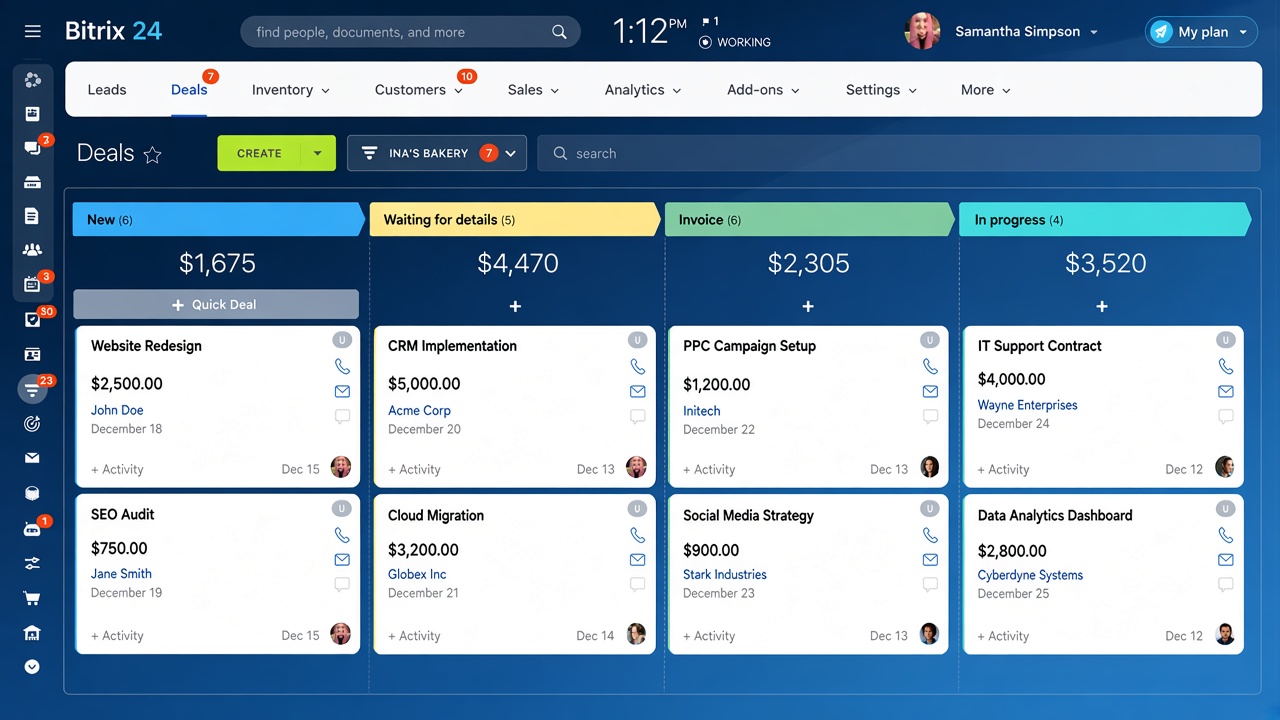
Results
Measured over 90 days after go-live vs the previous 90 days on spreadsheets
Less time on admin & chase lists
Import → automation → team live
The challenge
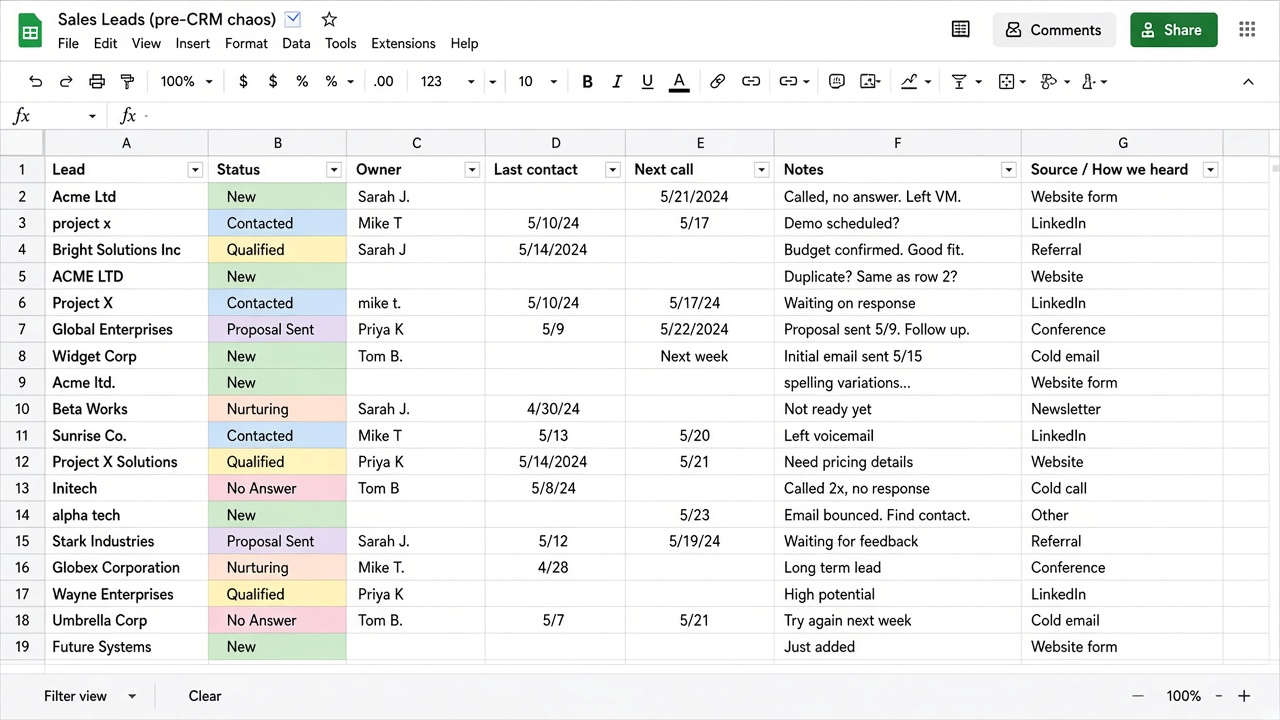
A growing B2B services company was running sales in Excel and email
Leads and deals lived in shared spreadsheets. Reps forgot follow-ups, managers had no pipeline view, and closing rates were slipping. They needed Bitrix24 as a single CRM — and automation that would not depend on someone remembering to open a file every morning.
- Leads and stages tracked in Excel + inbox threads
- No owner or next-action field enforced across the team
- Manual who-should-I-call-today lists
- Email and calls not logged against the deal
- No weekly pipeline snapshot for management
What we did
Standard Bitrix24 setup first — then RoboREST for the logic Excel could not do
1
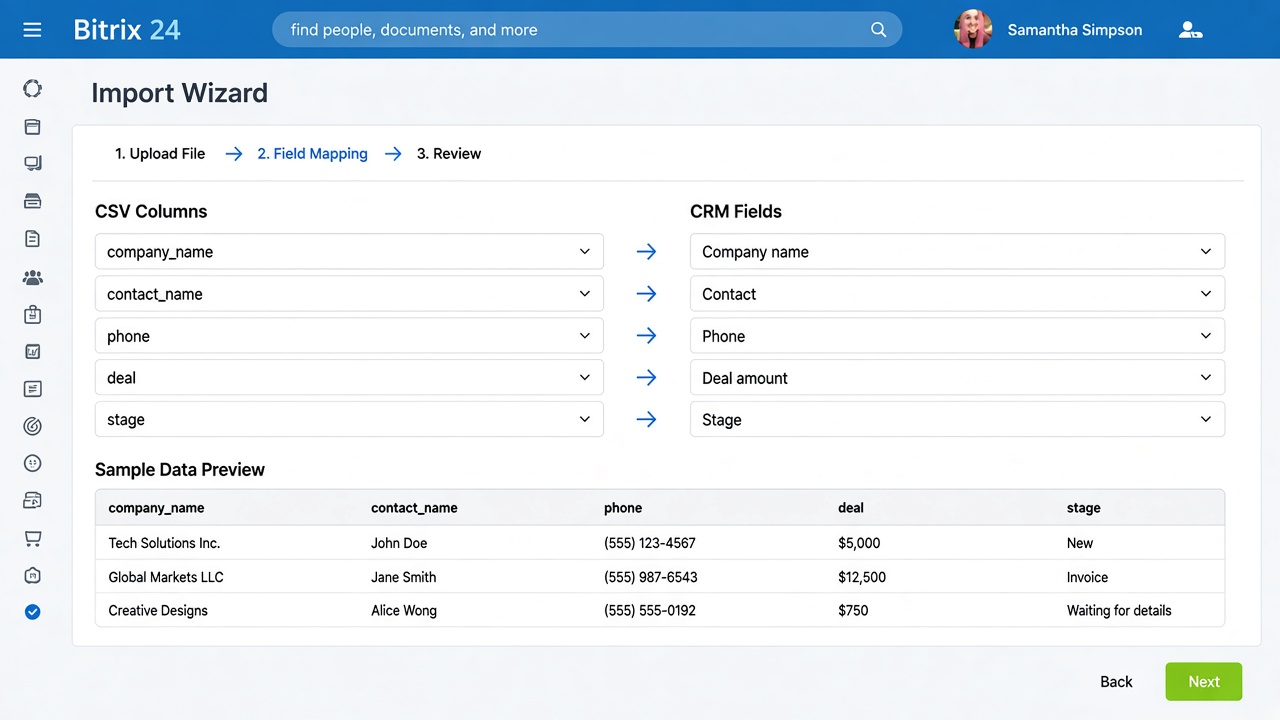
Import & clean
Mapped Excel columns to CRM fields, deduplicated contacts, imported companies → contacts → deals in the right order.
2
Pipeline fit
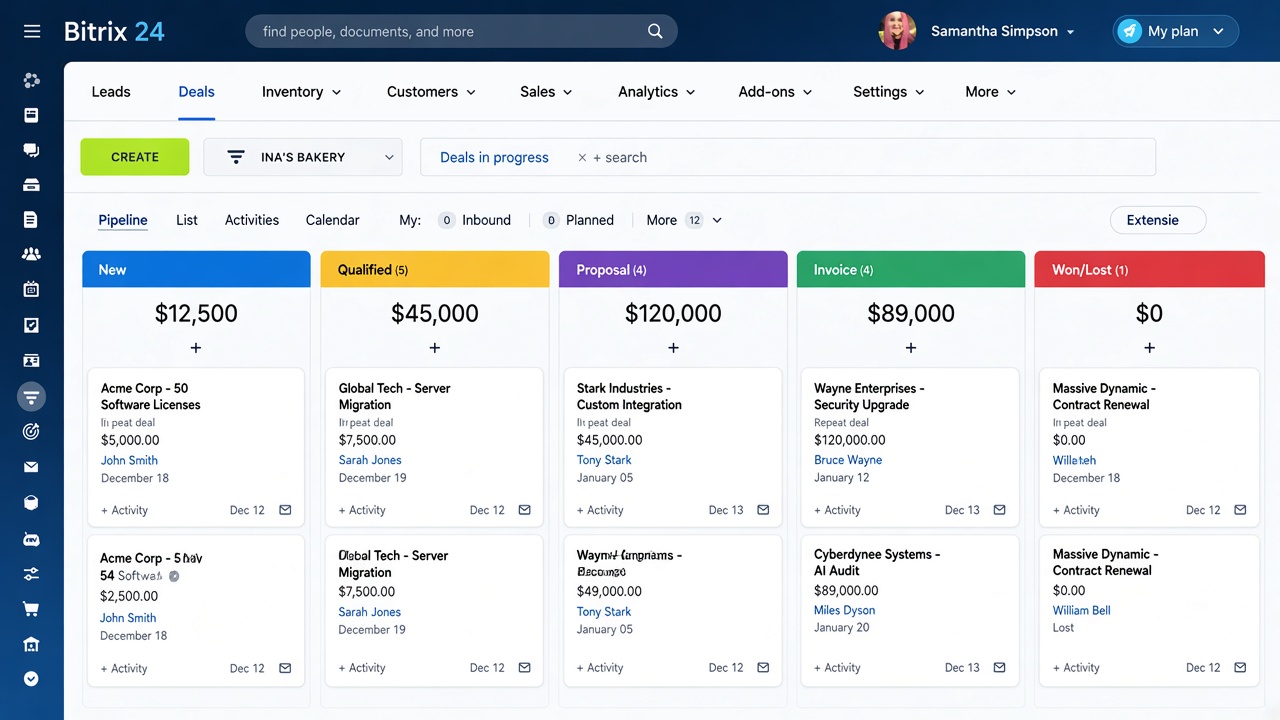
Built deal stages that match how they sell, roles, and required fields for stage moves.
3
RoboREST automation
Robots for assignment and stage rules; cron for no-activity follow-ups; deal-card widget for next action.
4
Train & go-live
Short sessions for sales and managers; live checklist for the first two weeks of usage.
Built with RoboREST
Custom logic inside Bitrix24 — robots, cron and a widget via the RoboREST App builder — without a separate custom module
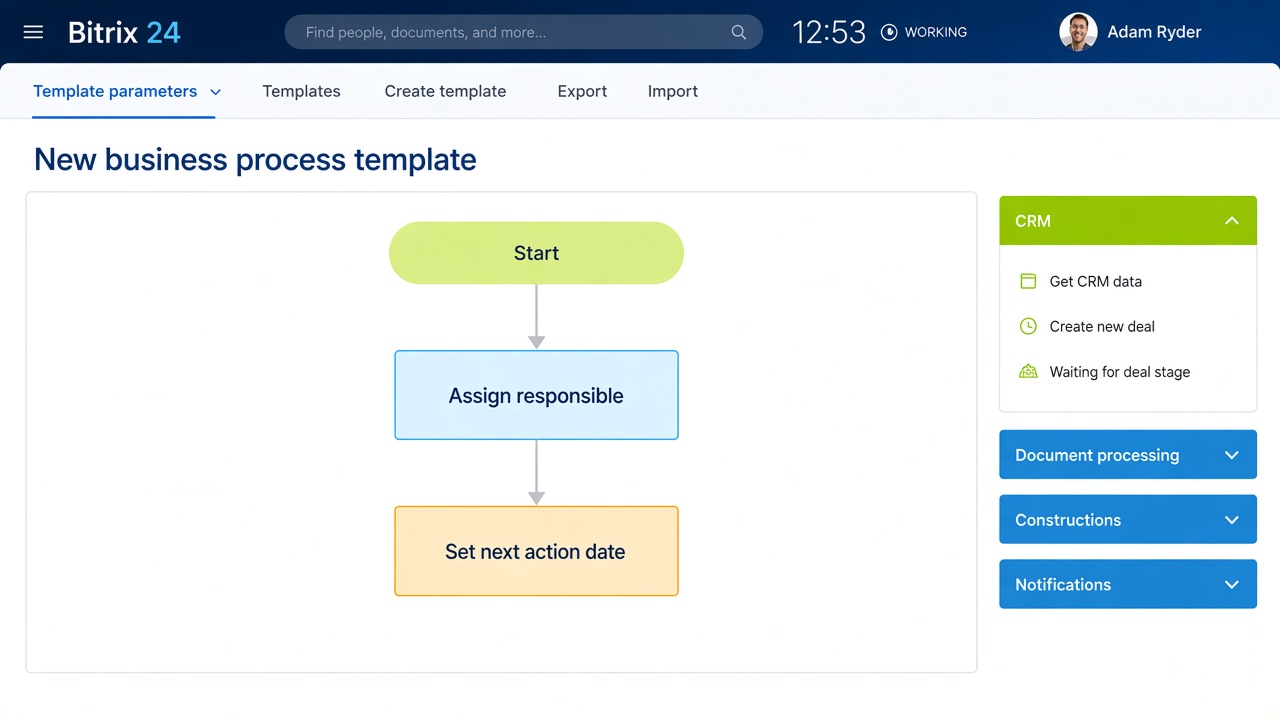
Lead / deal assignment
Robot · activity. On create or stage change, assigns the responsible manager by rules (region, product line, or round-robin) and sets a default next-action date.
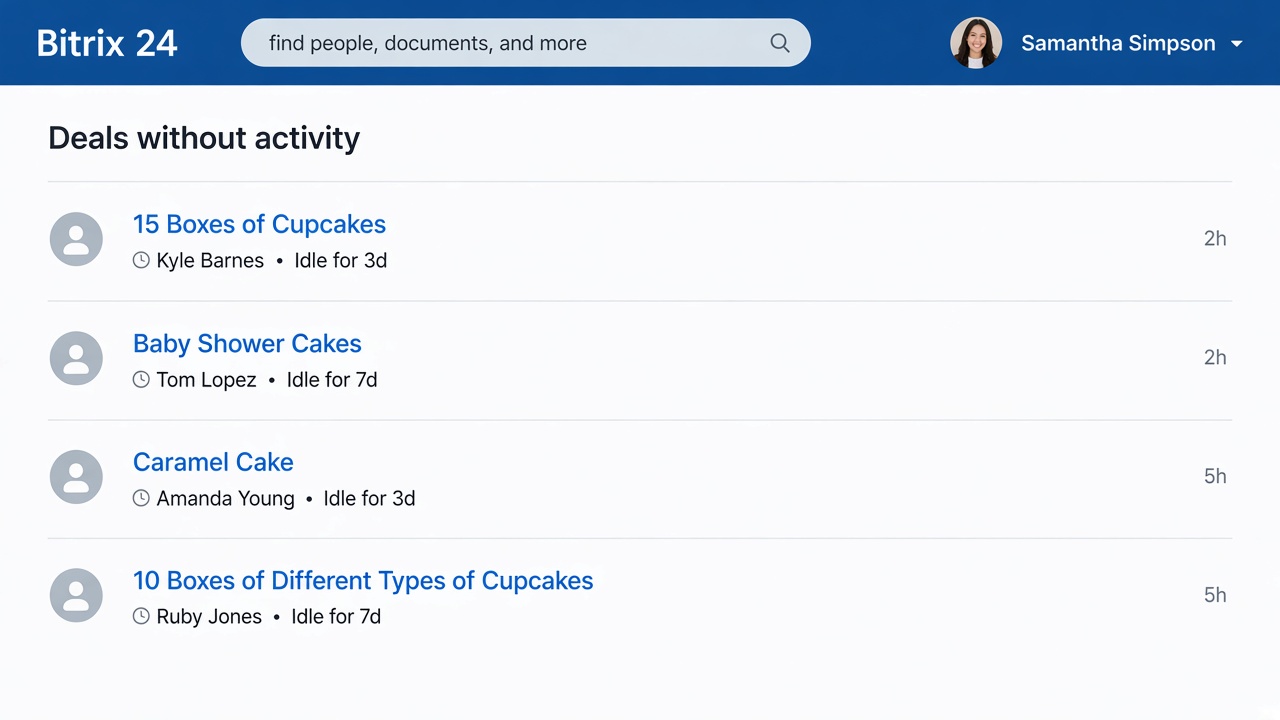
Stale-deal follow-up digest
Cron · daily 09:00. Finds open deals with no activity for 3 or 7 days and sends the owner a Bitrix24 notification with links to the cards.
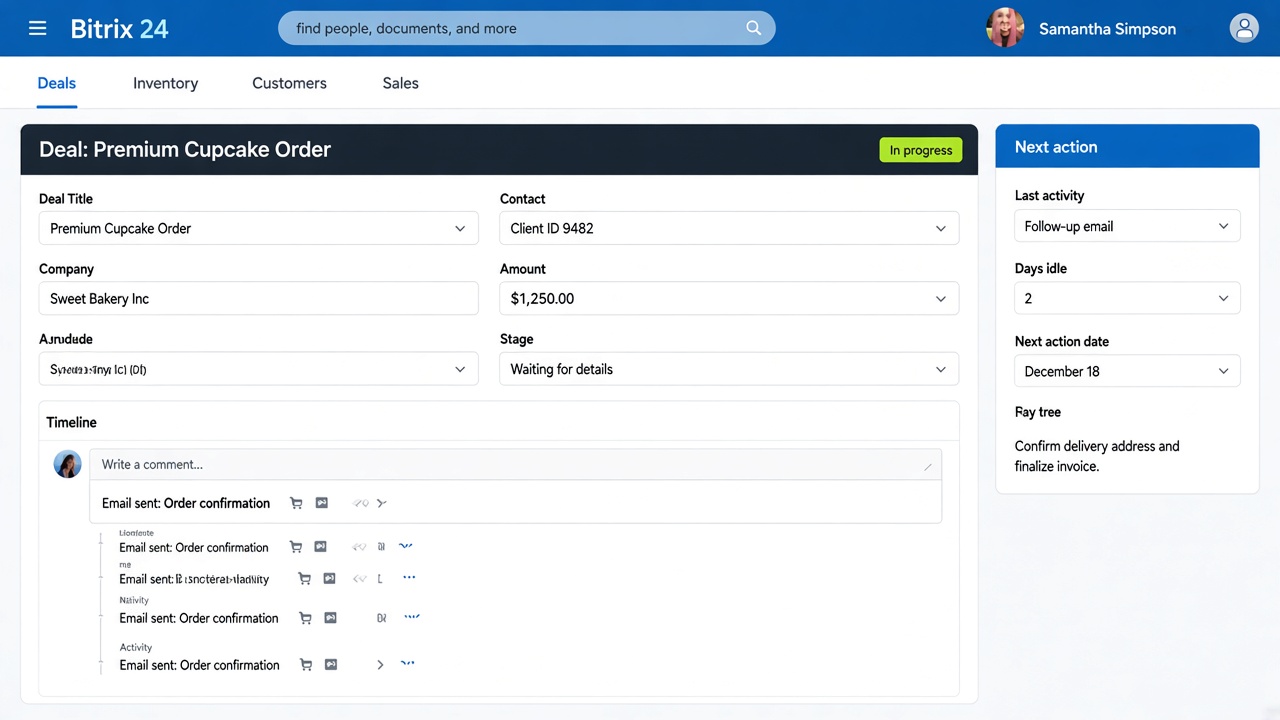
Next action panel
Widget · deal card. Shows last activity date, days idle, and the planned follow-up — so the next step is visible without a spreadsheet.
Before & after
Same team, same market — different daily operating system
Before
- Leads tracked in spreadsheets
- No visibility into the sales pipeline
- Manual follow-up reminders
- Email and CRM disconnected
- No reporting or analytics cadence
After
- All leads and deals in Bitrix24 CRM
- Pipeline stages + real-time dashboards
- Automated assignment and stale-deal cron
- Email and calls logged on the deal
- Weekly performance view for managers
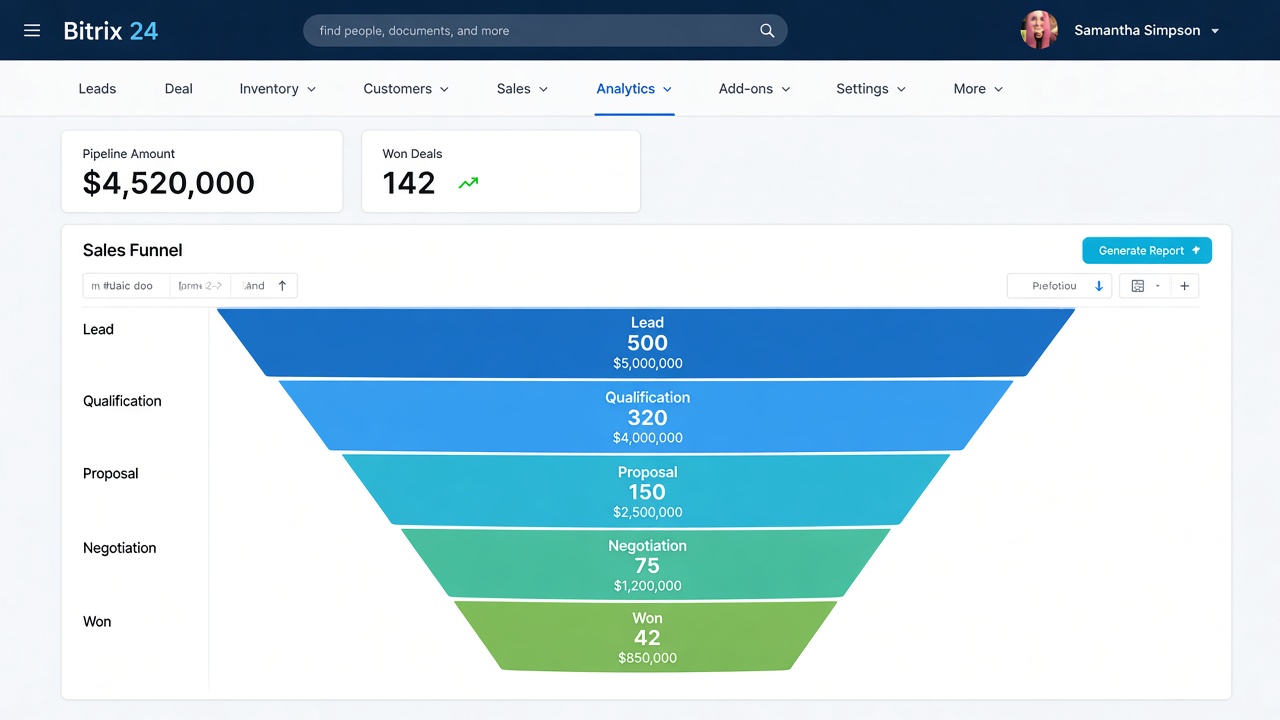
How we measured
Figures compare the first 90 days after go-live with the previous 90 days on spreadsheets for the same sales team.
- Closed deals: won deals in Bitrix24 vs wins logged in the old sheet for the prior period.
- Admin time: self-reported hours/week on chase lists (sales + sales lead), before vs after week 4.
- Adoption: days from import complete until at least 80% of active deals had an owner and a next-action date.
FAQ
Questions buyers ask when moving from Excel to Bitrix24
How do you migrate from Excel to Bitrix24 CRM?
Export sheets to CSV, map columns to Bitrix24 fields, then import companies first, then contacts, then deals — so links stay intact. We usually run a small test import, fix mapping, then the full load. After that we add automation (robots / cron) so follow-ups do not depend on the old spreadsheet habit.
Does Bitrix24 send follow-up reminders automatically?
Native automation covers many stage-based rules. When you need custom logic — for example no activity for 3 or 7 days, notify the owner with a deal list — we implement it as a RoboREST cron job plus lightweight robots on the pipeline.
How long does this kind of implementation take?
For a team of this size with a clean-enough spreadsheet and a clear sales process, 2–4 weeks is typical: import and pipeline in week 1–2, RoboREST automation and training in week 2–3. Heavy data cleanup or many integrations extends the timeline.
Why RoboREST instead of a custom Bitrix24 module?
RoboREST robots, cron tasks and widgets cover most CRM follow-up scenarios without shipping a separate custom PHP module on the portal. That shortens delivery and makes later rule changes faster.
Can this work on Bitrix24 Cloud in the EU?
Yes. This case used Bitrix24 Cloud. The same RoboREST pattern (robots + cron + widget) applies on on-premise when data residency or deeper customization requires it.
Moving off spreadsheets?
We help European teams implement Bitrix24 and automate follow-ups with RoboREST — from import to go-live.
Why contact us?
- Free consultation and project assessment
- Response within 24 hours
- 8+ years of Bitrix24 expertise
- Support in English, Spanish, and Russian
- GDPR-aware solutions for EU businesses
Email
b24@msite.top
Phone
+34 614 33 27 85
CRM form will load here
 — Бесплатные Сайты и CRM.