
🔔 Events subscribe
Bitrix24 exposes more than 200 events you can subscribe to and use to automate CRM and other workflows. That includes scenarios you cannot cover with built-in robots and business processes alone, and automation on tarifs where business processes are not available. Below is a step-by-step guide to subscribing to events in RoboREST, fetching offline events from a cron job, and choosing a suitable run schedule.
⏱️ Step 1: Open event subscriptions from the cron job
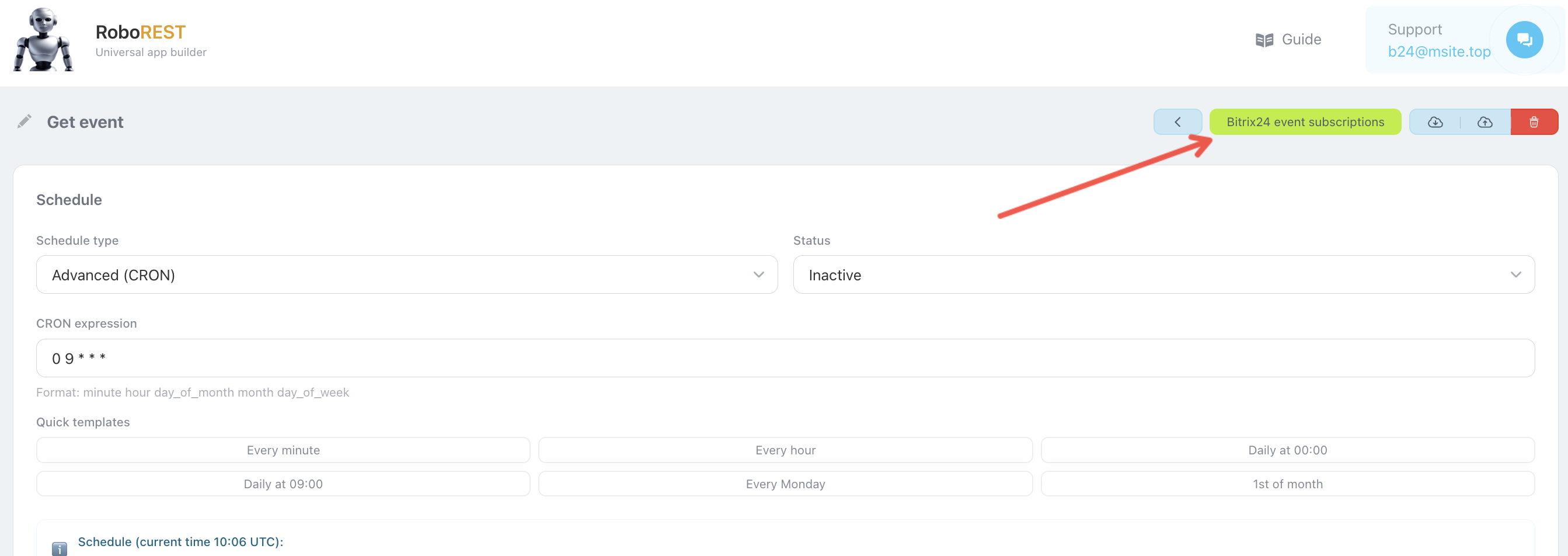
Open the cron job you need in RoboREST and click 🔗 “Bitrix24 event subscriptions”. A separate screen for managing subscriptions will open.
📋 Step 2: Pick an event and subscribe
On the subscription page, select the event from the list, enter a 🏷️ Subscription identifier (for example, test), and click ✅ “Subscribe”.
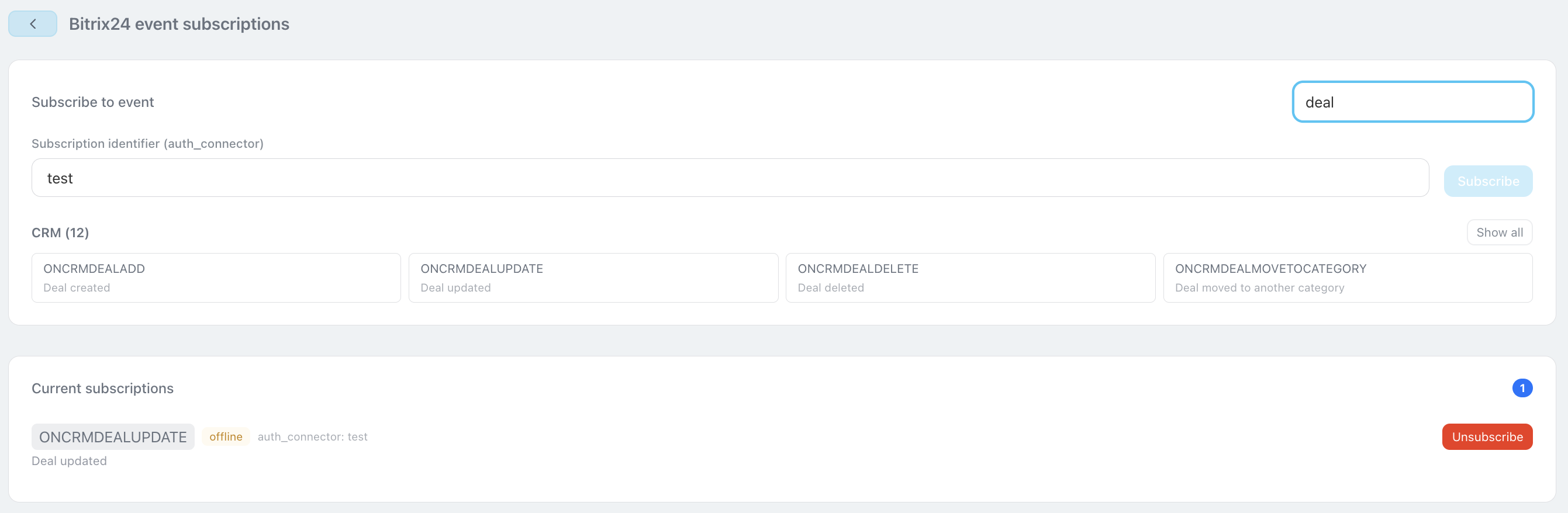
The event then appears in the 📌 Current subscriptions section, which lists all active event subscriptions.
📥 Step 3: Return to the cron job and fetch offline events
Go back to the cron job page and add code that retrieves offline events accumulated since the previous run.
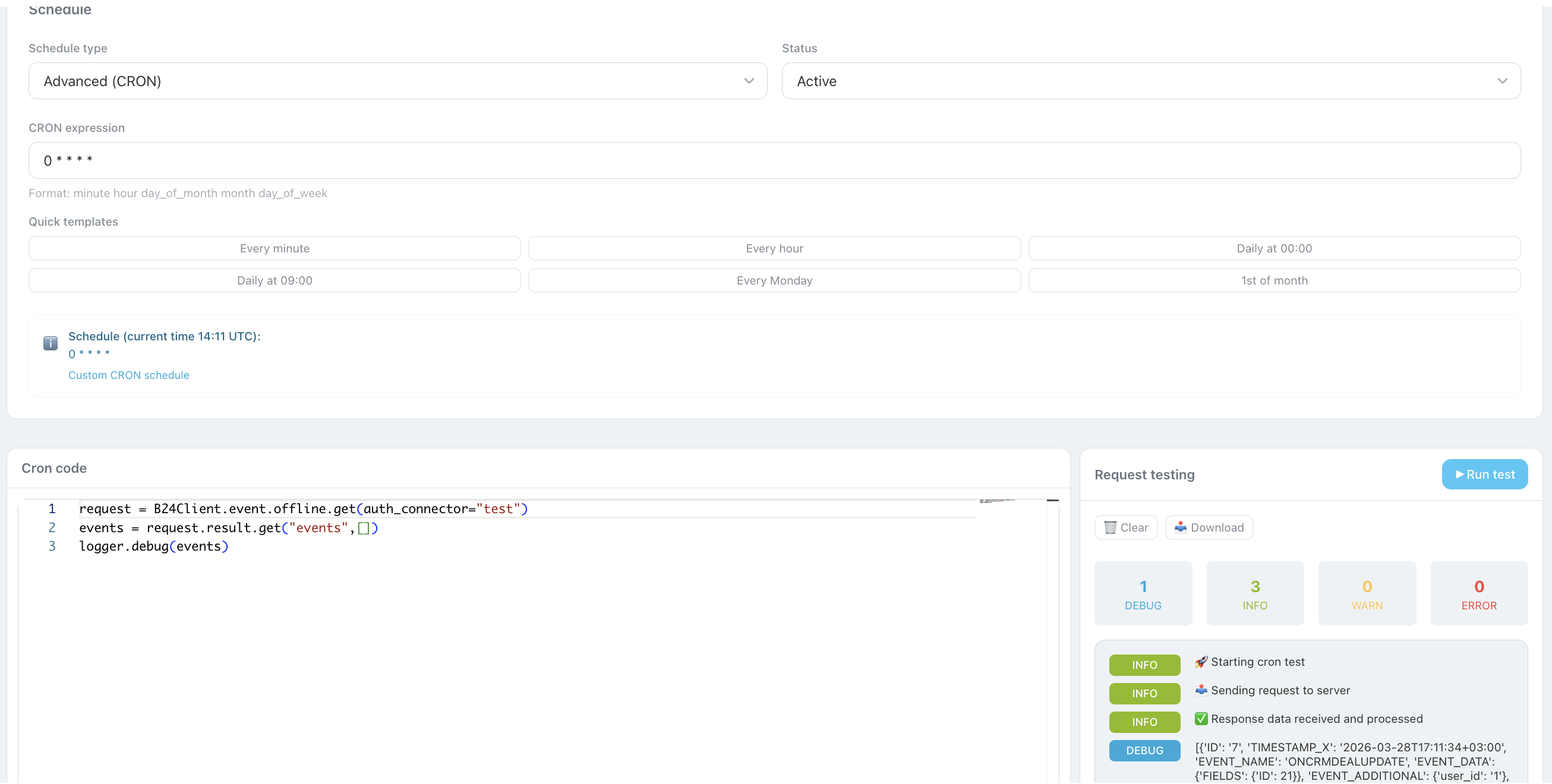
request = B24Client.event.offline.get(auth_connector='test')
events = request.result.get("events", [])
logger.debug(events)
🧩 From the events array you can read the event type and the ID of the entity that changed, then run your logic: update data, build a report, or trigger an external integration.
🗓️ Step 4: Configure the cron schedule
How often the job runs depends on your process:
• Monthly: if you produce monthly reports from collected events.
• Every minute: if you need changes processed as quickly as possible.
• Monthly: if you produce monthly reports from collected events.
• Every minute: if you need changes processed as quickly as possible.
 — Бесплатные Сайты и CRM.